
Tips for Creating a Cozy and Productive Home Office Space
haqufii >> Home Office>>Productivity>> Tips for Creating a Cozy and Productive Home Office Space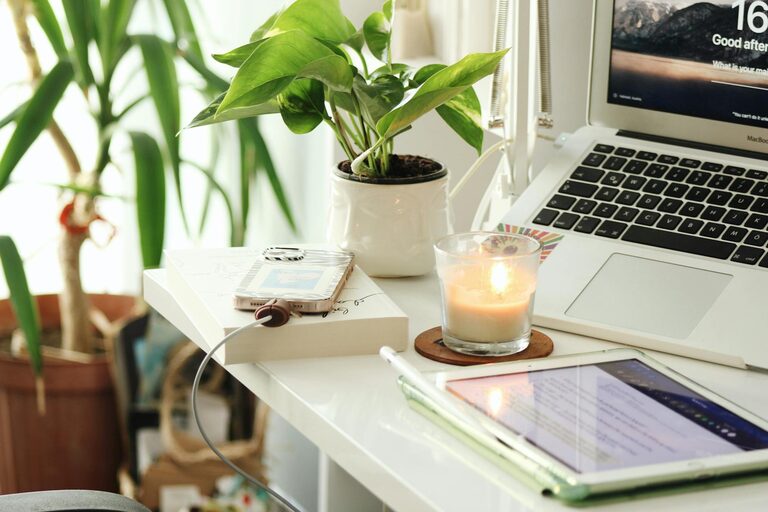
Tips for Creating a Cozy and Productive Home Office Space
Creating a home office that feels cozy yet keeps you productive can significantly enhance your work-from-home experience. Whether you’re setting up a dedicated room or a small corner, thoughtful design and organization are key to balancing comfort and efficiency. Here are practical tips to help you create a home office space where you can work effectively while feeling relaxed and inspired.
Choose the Right Location
Find a Quiet, Bright Spot
Selecting the right spot for your home office is the first step. Ideally, pick a space away from high-traffic areas to minimize distractions. Natural light is important—it helps enhance your mood and reduces eye strain. If possible, set up near a window to enjoy daylight, but avoid glare on your screen.
Consider Privacy and Noise Control
If privacy is important, rooms with doors or corners in less busy parts of your home are preferable. You can also use noise-cancelling headphones or white noise machines to block distractions.
Invest in Comfortable, Functional Furniture
Ergonomic Chair and Desk
A good chair supports your back and encourages good posture, which is key for long hours of work. Look for adjustable chairs with lumbar support. Your desk should be the right height so your arms rest comfortably while typing.
Furniture Size and Arrangement
Choose a desk size that fits your space but still allows you to spread out your work essentials. Arrange your furniture to create a pleasant flow, keeping frequently used items within reach.
Organize Your Tools and Supplies
Use Storage Solutions
Clutter can distract and reduce productivity. Use shelves, drawers, and organizers to keep supplies neat and accessible. Desk organizers and cable management tools help keep your workspace tidy.
Keep Essentials Close
Have your daily tools like notebooks, pens, and chargers nearby to avoid unnecessary interruptions.
Personalize Your Space
Add Comfortable Textiles
Incorporate cozy elements like a soft rug, cushions, or a throw blanket to make your space inviting.
Incorporate Plants and Artwork
Plants can improve air quality and boost mood. Art or photos that inspire you can also make your space feel welcoming and personalized.
Optimize Lighting
Layer Your Lighting
Use a combination of ambient lighting (like ceiling lights), task lighting (desk lamps), and accent lighting (decorative lights) to create a balanced environment that reduces eye strain.
Adjustable Lighting Options
Dimmable lights or lamps with adjustable brightness are great for adapting to different times of day or tasks.
Establish a Routine and Boundaries
Define Your Working Hours
Set regular working hours to help separate work time from personal time, reducing burnout.
Minimize Distractions
Turn off non-work notifications and create signals for family or roommates to respect your work time.
Incorporate Movement and Break Spaces
Take Short Breaks
Stand up and move around regularly to stay energized. Consider a standing desk or a balance ball chair if space allows.
Create a Relaxation Corner
If possible, add a small area with a comfortable chair or cushion where you can take quick breaks or practice mindfulness.
Use Technology Wisely
Reliable Internet and Equipment
Ensure your internet connection is strong and your computer or other devices are updated for smooth work.
Helpful Apps and Tools
Use productivity apps, calendar reminders, and noise-cancelling applications to enhance focus.
Keep the Space Clean and Fresh
Regular Cleaning
Clean your workspace regularly to maintain an inviting atmosphere and good hygiene.
Fresh Air and Aromatherapy
Open windows for fresh air when possible and consider subtle scents like essential oils or candles for relaxation.
—
Creating a cozy and productive home office takes attention to comfort, organization, and personalization. By implementing these tips, you can design a workspace that supports your focus and wellbeing, making your work-from-home days more enjoyable and efficient.