

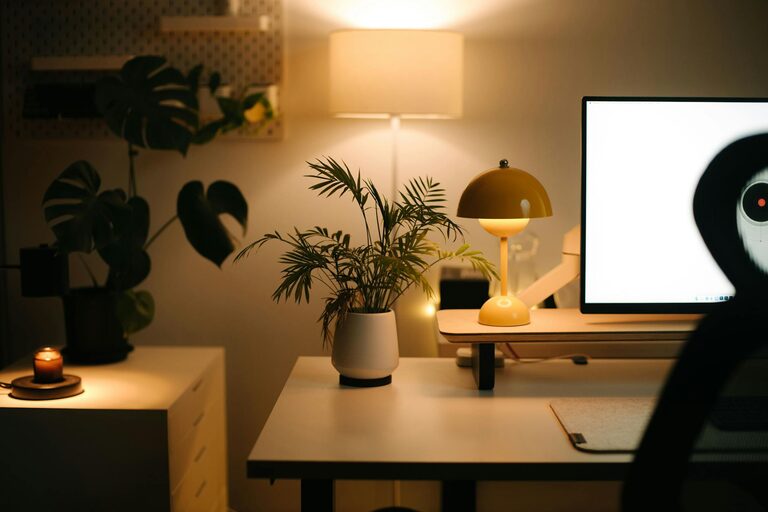
Tips for Creating a Cozy and Productive Home Office Space
Creating a home office that feels cozy yet boosts productivity can transform your work-from-home experience. Whether you’re working remotely full-time or just need a dedicated spot for managing tasks, a well-designed space helps you stay focused and comfortable. Here are practical tips to help you set up a home office that balances warmth and efficiency.
Choose the Right Location
Selecting the right spot for your home office is the first step. Ideal locations have natural light, minimal distractions, and enough space for your needs. If possible, pick a quiet corner or a room with a door to help you separate work from home life.
Make Use of Natural Light
Natural light reduces eye strain and improves mood. Position your desk near a window but avoid glare directly on your computer screen. Use light, airy curtains to soften harsh sunlight.
Invest in Comfortable Furniture
Comfort matters when you’re sitting for long periods. A good chair with adjustable features supports your posture and reduces fatigue. Pair it with a desk at the right height to maintain ergonomic alignment.
Key Furniture Features:
– Adjustable chair height and lumbar support
– Spacious desk surface for your computer and accessories
– Storage options like shelves or drawers to keep things tidy
Create a Cozy Atmosphere
Adding warm touches to your office helps make the space inviting and less sterile. Small accents can make a big difference.
Ideas to Boost Coziness:
– Soft lighting from a desk lamp or string lights
– A plush area rug underfoot
– Cushions or a cozy throw blanket on your chair
– Houseplants for fresh air and color
Keep Your Workspace Organized
Clutter can decrease productivity and increase stress. Implement storage solutions to keep your essentials within reach but out of the way.
Organization Tips:
– Use desk organizers for pens, papers, and gadgets
– Label shelves or boxes to quickly find what you need
– Regularly declutter to maintain a clean environment
Personalize Your Space
Make the office reflect your style and personality without going overboard. Personal touches can boost motivation and make the environment more enjoyable.
Some ideas include photos, artwork, or inspirational quotes. Just keep it balanced to avoid distraction.
Manage Noise and Distractions
If your home is busy or noisy, find ways to minimize interruptions. Consider noise-canceling headphones or a white noise machine. You might also set “do not disturb” signals during important work periods.
Optimize Technology and Connectivity
Reliable technology is key to a productive home office. Ensure you have a stable internet connection, quality webcam, and other essential tools like a printer or external monitor.
Tech Checklist:
– High-speed internet
– Ergonomic keyboard and mouse
– Cable organizers to prevent tangles
– Backup power supply for emergencies
Incorporate Break Spaces
Even in a small home office, having a spot to take short breaks helps refresh your mind. A comfortable chair or a standing spot lets you stretch and recharge during the day.
Maintain Good Air Quality
Keep the room ventilated by opening windows or using an air purifier. Good air quality supports focus and overall well-being.
Final Thoughts
Designing a cozy and productive home office is about balancing comfort, organization, and a calming environment. By selecting the right location, investing in ergonomic furniture, adding personal touches, and managing distractions, you can create a space that motivates you to do your best work every day. Take small steps and adjust as you go—your ideal home office awaits!
Related Post
Tips for Creating a Cozy and Inviting Home Office Space
Creating a cozy and inviting home office space is essential for anyone working from home…